FAA-H-8083-25C · Source PDF page 329
Aviation Weather Services
NORTH UP · PHAK page 13-19
Searchable transcription
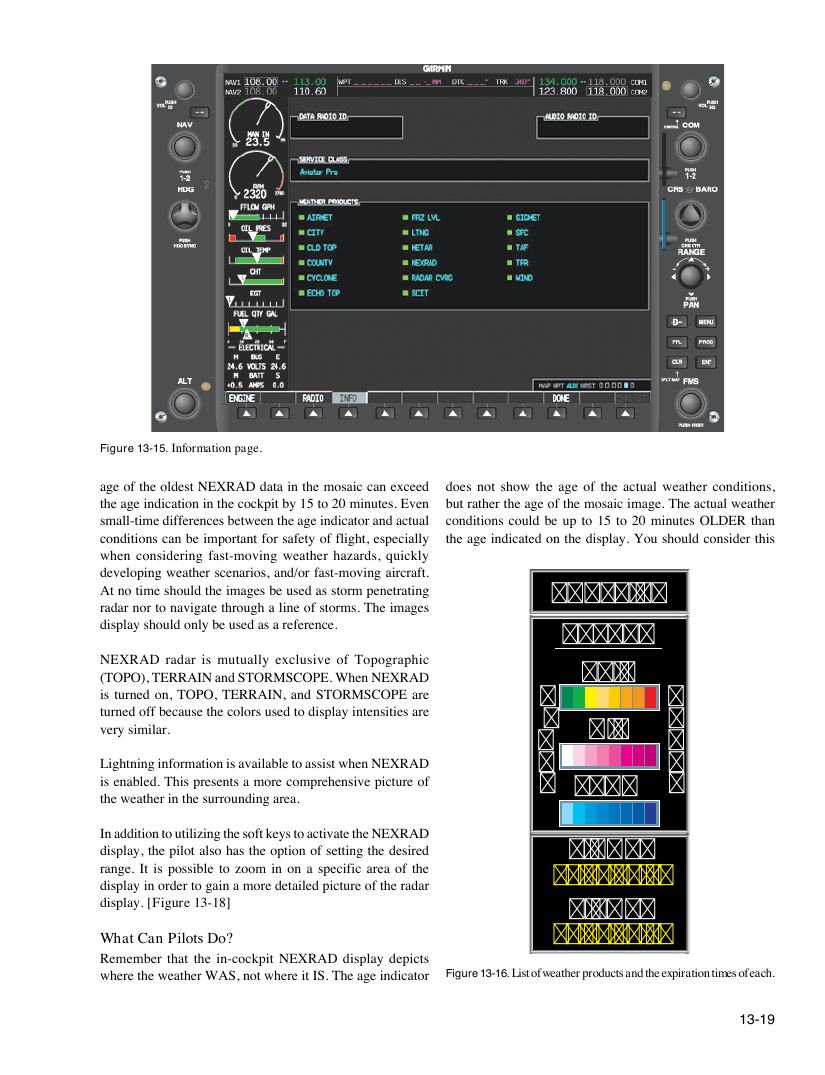
Figure 13-15. Information page.
age of the oldest NEXRAD data in the mosaic can exceed does not show the age of the actual weather conditions,
the age indication in the cockpit by 15 to 20 minutes. Even but rather the age of the mosaic image. The actual weather
small-time differences between the age indicator and actual conditions could be up to 15 to 20 minutes OLDER than
conditions can be important for safety of flight, especially the age indicated on the display. You should consider this
when considering fast-moving weather hazards, quickly
developing weather scenarios, and/or fast-moving aircraft.
At no time should the images be used as storm penetrating NORTH UP
radar nor to navigate through a line of storms. The images
display should only be used as a reference.
NEXRAD
NEXRAD radar is mutually exclusive of Topographic
RAIN
(TOPO), TERRAIN and STORMSCOPE. When NEXRAD
is turned on, TOPO, TERRAIN, and STORMSCOPE are L H
turned off because the colors used to display intensities are
I E
very similar. MIX
G A
Lightning information is available to assist when NEXRAD H V
is enabled. This presents a more comprehensive picture of T SNOW Y
the weather in the surrounding area.
In addition to utilizing the soft keys to activate the NEXRAD
display, the pilot also has the option of setting the desired SIGMET
range. It is possible to zoom in on a specific area of the
__/__ __:__
display in order to gain a more detailed picture of the radar
display. [Figure 13-18]
AIRMET
What Can Pilots Do? __/__ __:__
Remember that the in-cockpit NEXRAD display depicts
where the weather WAS, not where it IS. The age indicator Figure 13-16. List of weather products and the expiration times of each.
13-19